 EASYWAYS
For accounting firms
All your clients on one screen.
No more chasing bills in LINE one by one.
Clients keep sending photos of bills and slips in LINE; AI reads and categorises them. One screen tells your firm who is complete this month, who is missing evidence, and how much VAT and withholding tax each client owes.
Free to join · Clients pay their own plan · Your staff take no seats
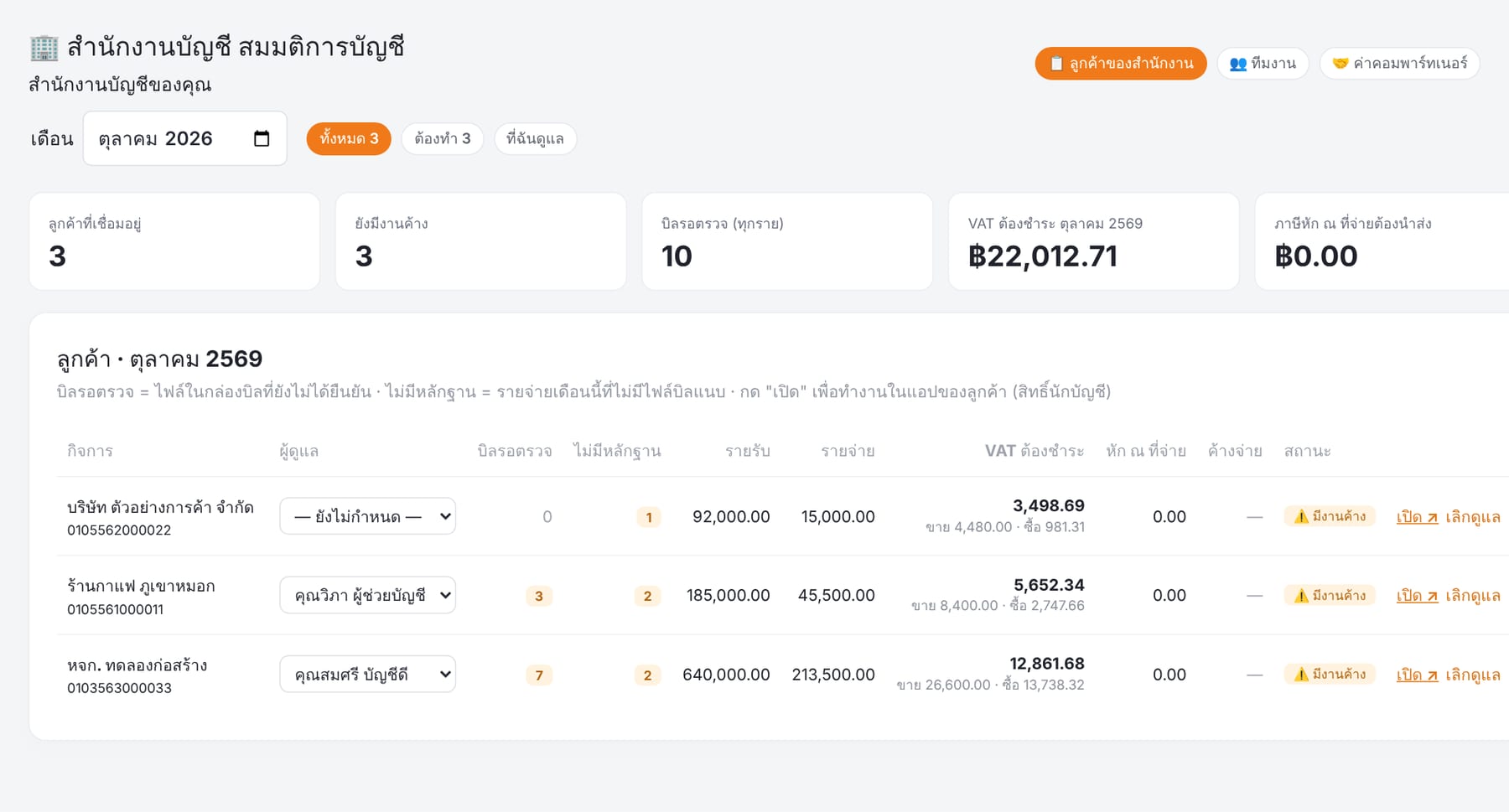
Sample screen with made-up companies (Thai interface)
The work that takes the most time, gone
Clients send photos in LINE during the month. AI reads the vendor, tax ID, VAT and picks the account category; your team just checks.
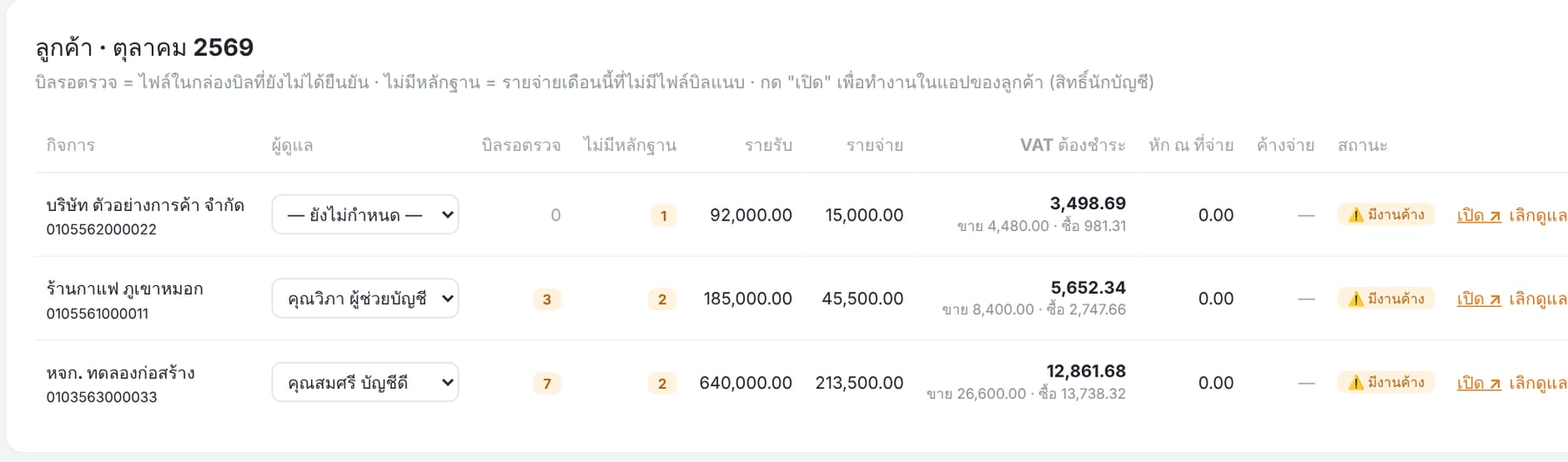
Expenses without a bill attached show up as a number on the board. Click through to the list instead of scrolling chat groups.
Output VAT, input VAT, VAT payable and withholding tax to remit for every client, month by month.
Your firm's portal
Client board
Every linked client with a ✅ done or ⚠️ to-do status. Filter to clients with work left, or the ones you look after.
Press "Open" to work inside the client's business as an Accountant: review bills, issue documents, record payments, see tax reports.
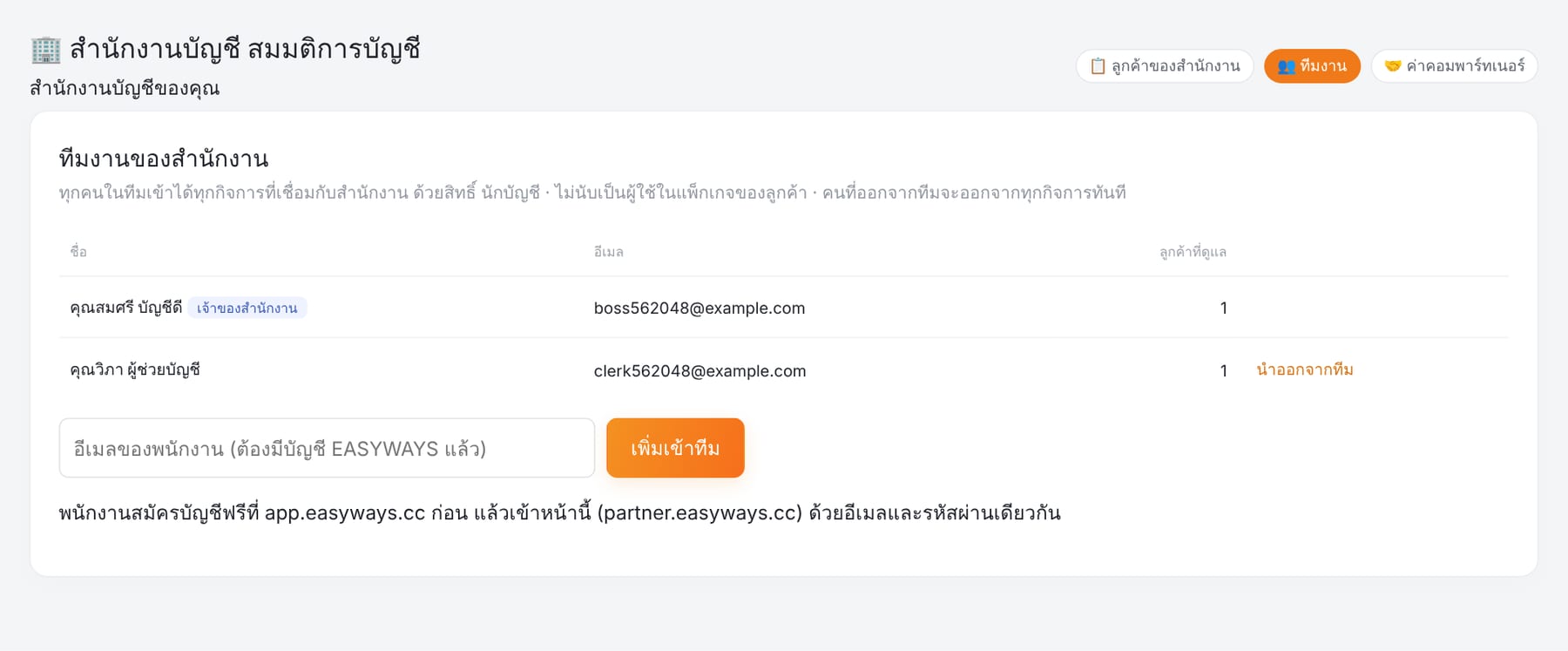
Your team takes no seats
Add staff by email. Everyone can work in every linked business and none of them count as users in the client's plan.
Assign who looks after which client. Remove someone once and they leave every client at once.
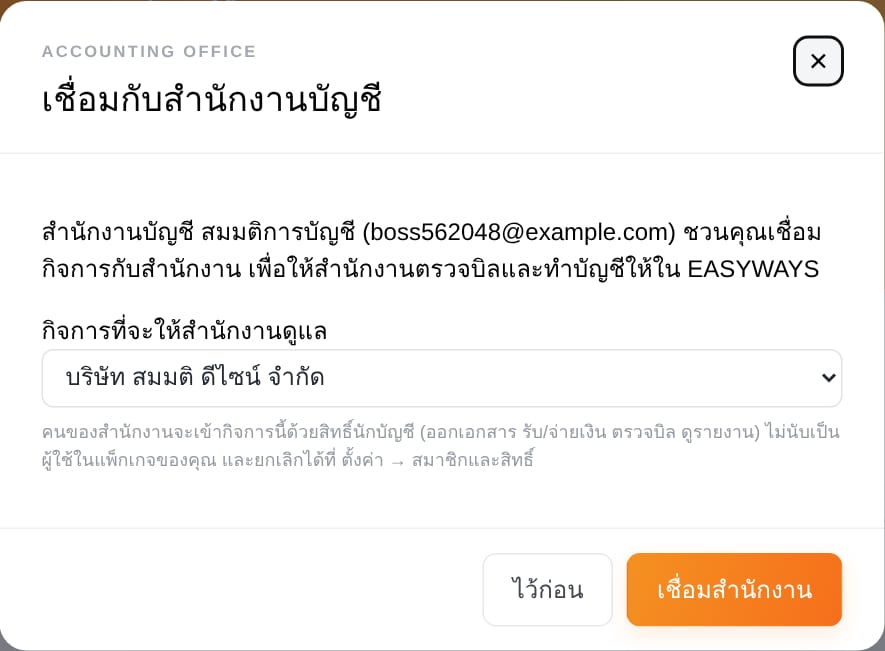
Clients link, and unlink, themselves
Send your invite link; the client confirms which business your firm looks after. The data stays theirs and they can end the link at any time.
Clients get every feature: quotations to receipts, collections, e-Tax Invoice by Email and Shopee reconciliation.
Start in 3 steps
- Join as a partner firmAt partner.easyways.cc: enter your tax ID and your bookkeeper or CPA registration number. We check and approve within 1–2 business days; you get a "verified" badge and a certificate with a QR code clients can check.
- Send clients your invite linkExisting and new clients use the same link, or enter your 6-character firm code in Settings → Members & roles.
- Work from the portalAdd your team, assign clients, and work from the client board every day.
No cost, and extra income
No sign-up fee, no seats. Each client pays their own plan.
Clients who sign up through your link count as your referrals: cash commission on the partner terms, with a 50 Tawi certificate.
Time spent keying bills and chasing documents goes to new clients.
Questions
Who pays?
Each client pays their own plan. Your firm and staff use the portal free and are not counted as users in the client's plan.
What can the firm see?
Only businesses whose owner confirmed the link, with the Accountant role: documents, payments, bills and reports — not company settings or members.
Can a client end the link?
Any time, in Settings → Members & roles. Everyone from the firm leaves that business at once; the client keeps all the data.
Can clients move from another program?
Yes. Contacts, products and open receivables/payables import from Excel or CSV on the "Move to EASYWAYS" page.
Start with your first client today
Join free, get approved in 1–2 business days, then send your invite link.