EASYWAYS ไทย Log in Start free

Run your Thai company's paperwork in English

Your team snaps bills and slips in LINE, AI reads them, and you handle quotations, invoices, receipts and Thai tax documents in an English web app. Your bookkeeping lands in Google Sheets, ready for your accountant.

Nothing to install: works in your browser and in LINE. Prices include VAT · Documents and app screens in 4 languages: Thai, English, Chinese and Japanese

EASYWAYSLINE
1,600.00
Expense recorded −1,600.00
Date
7 Oct 2026
Account
5340 Repairs
Paid to
Pon's Repair Shop
VAT included
104.67
✏️ Edit / add details
สรุป (summary)
Today: 2 customers due to pay 18,500.00 THB · 3 bills to review

Made for the way your business works

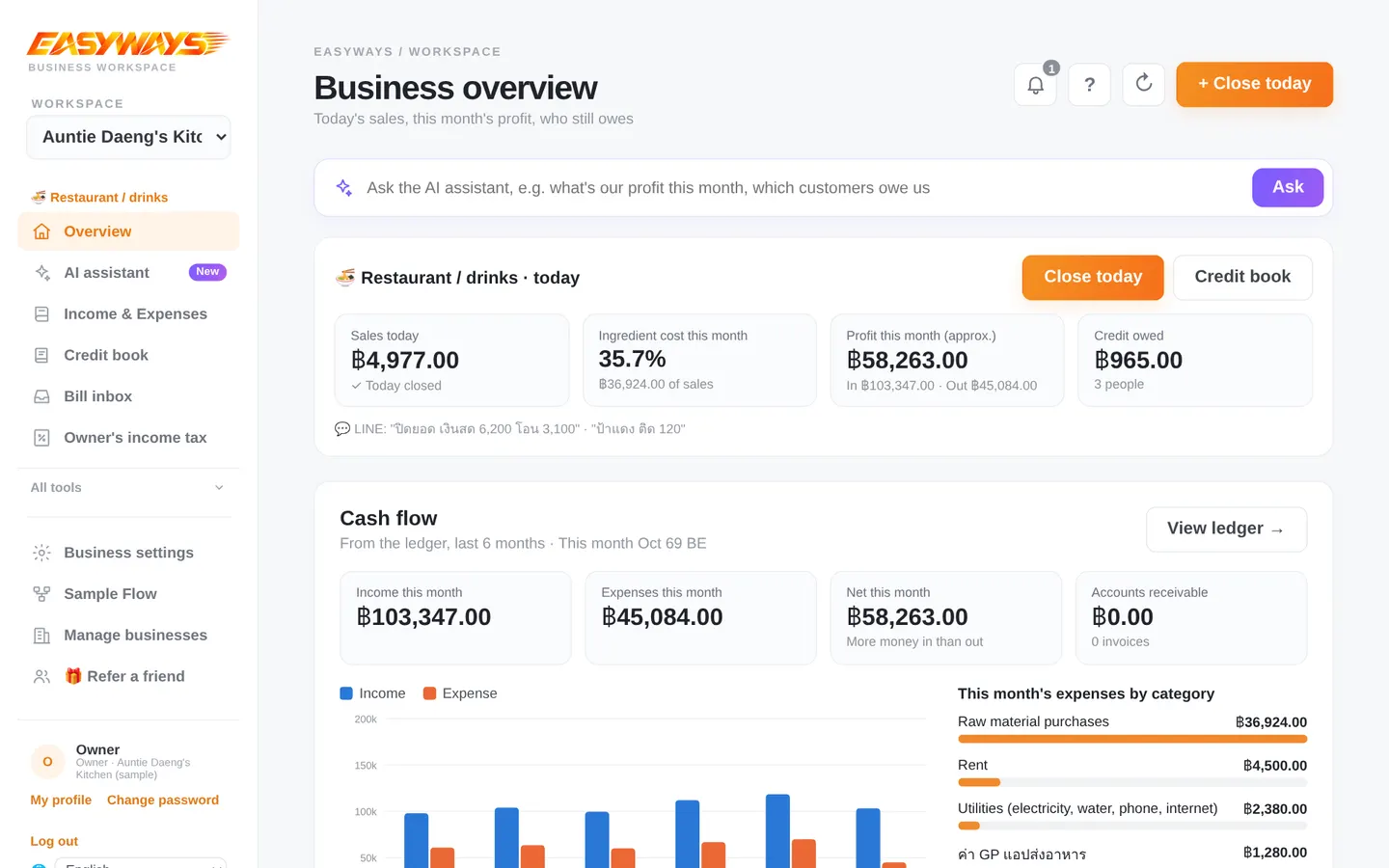
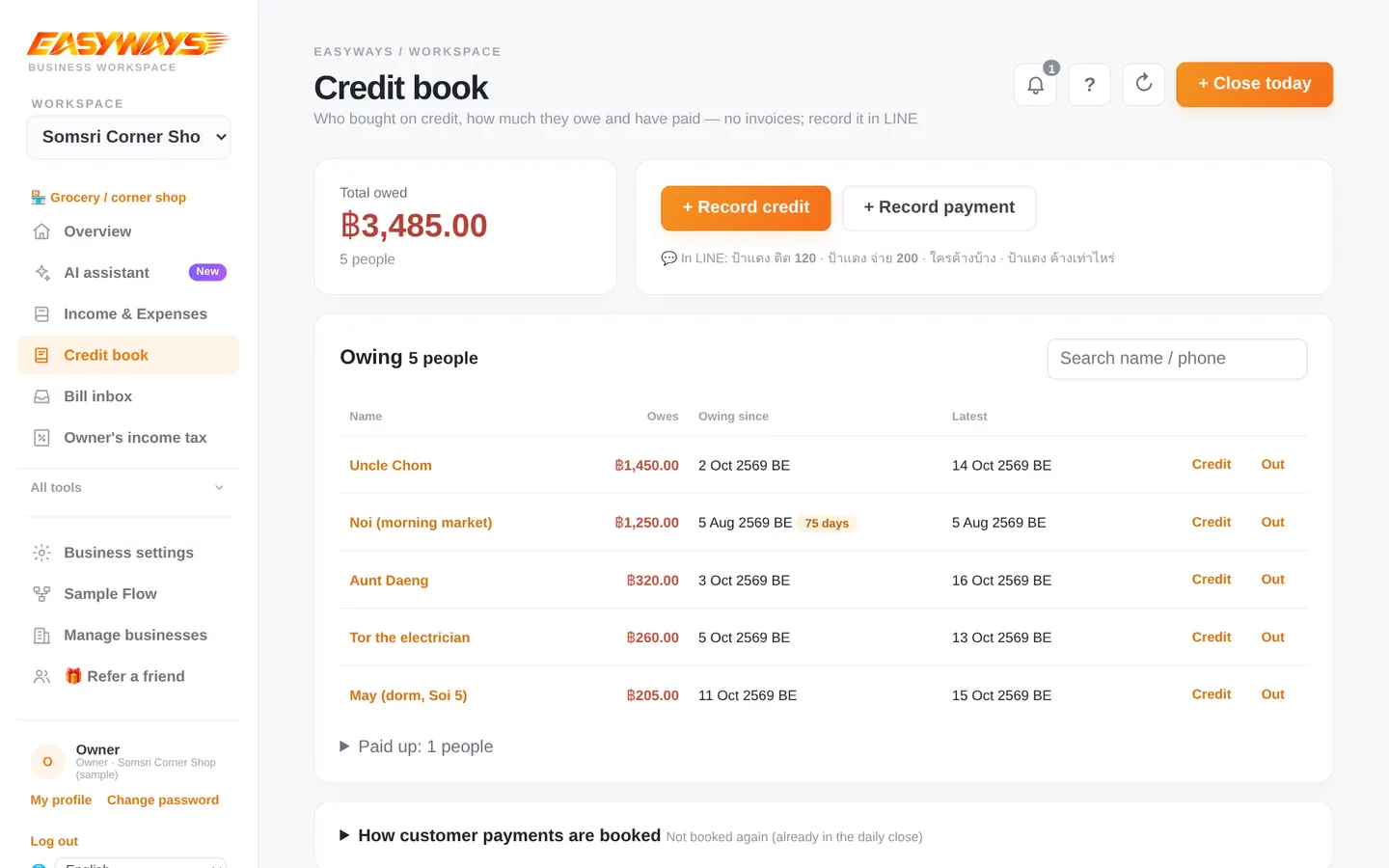
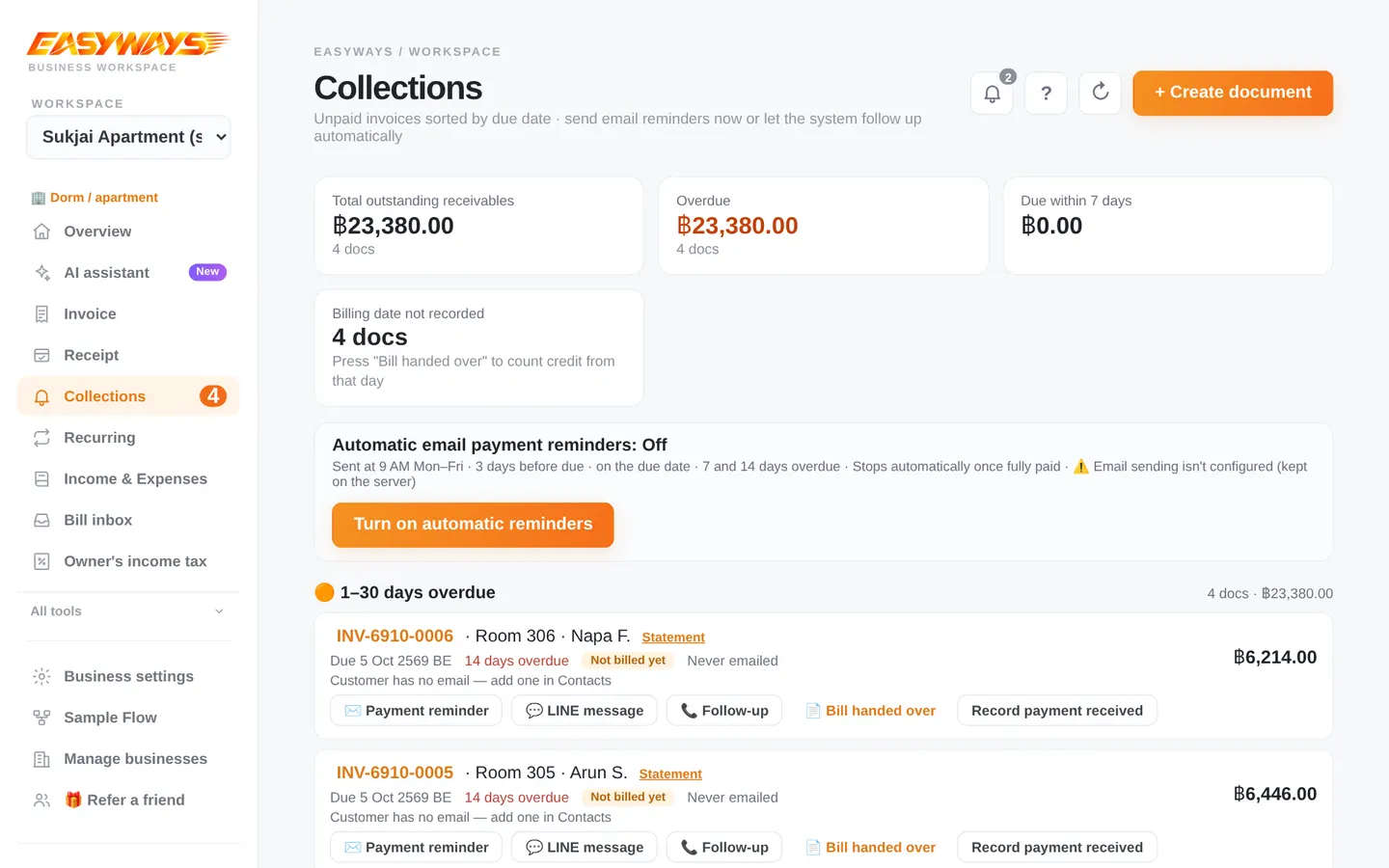
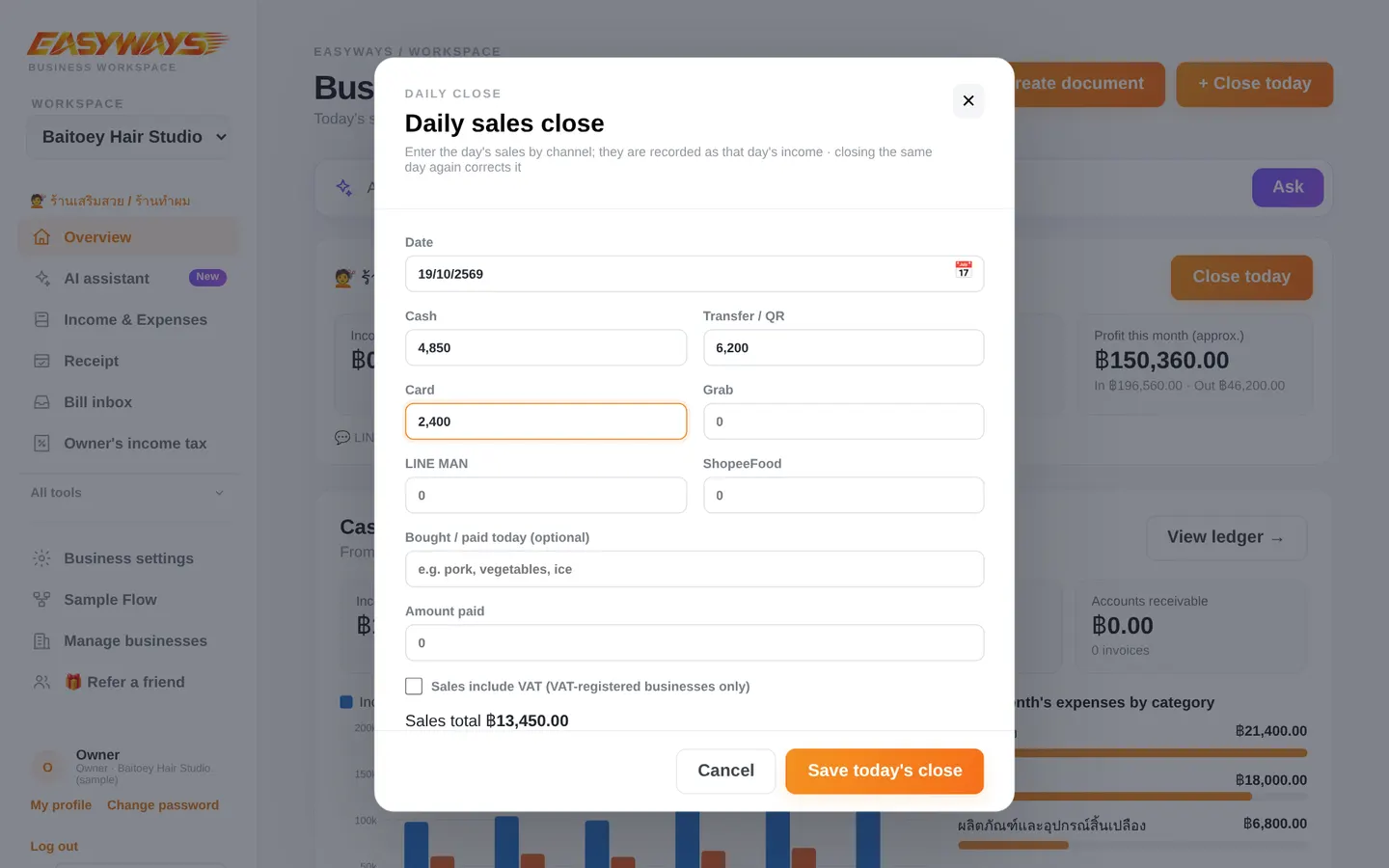
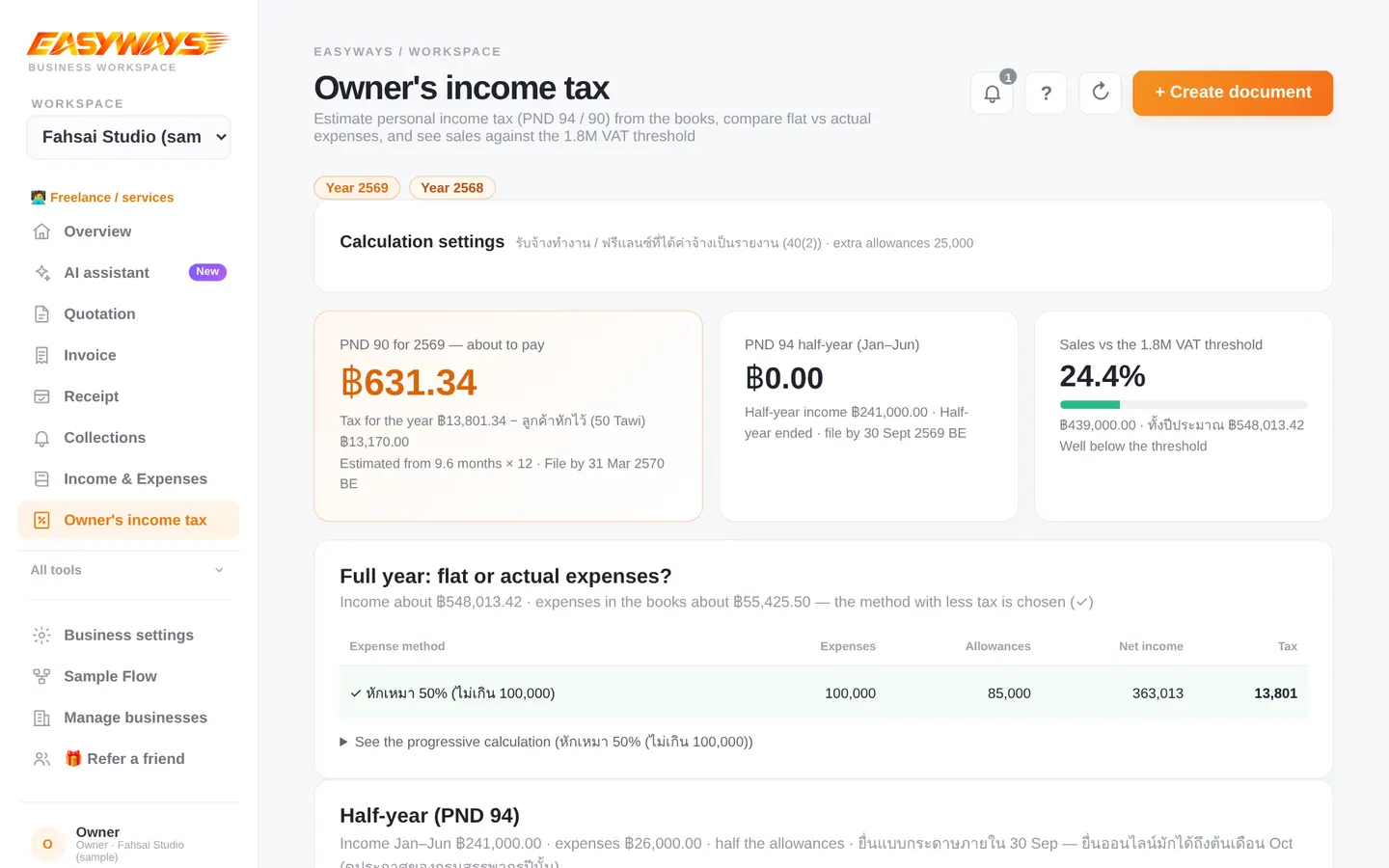
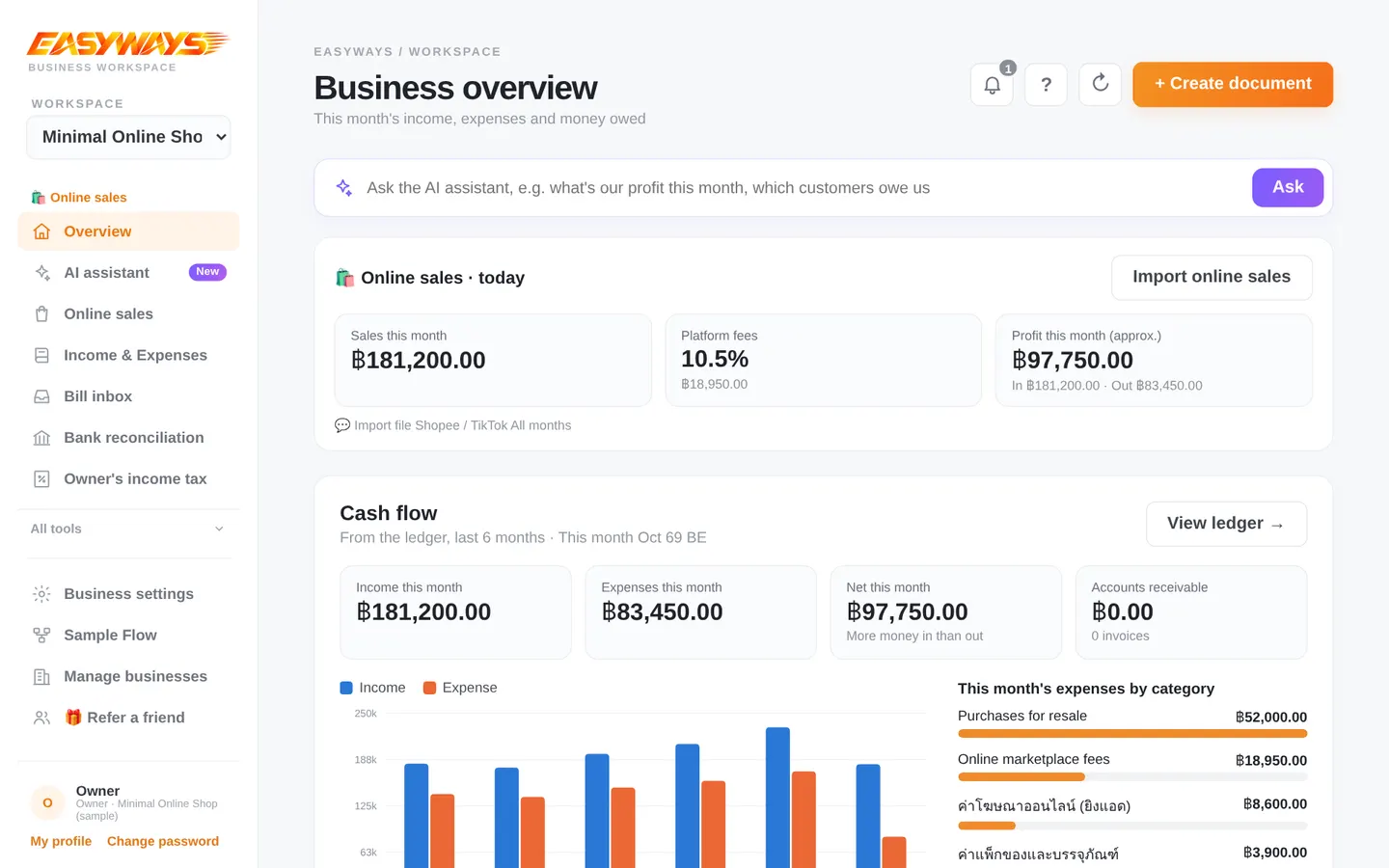
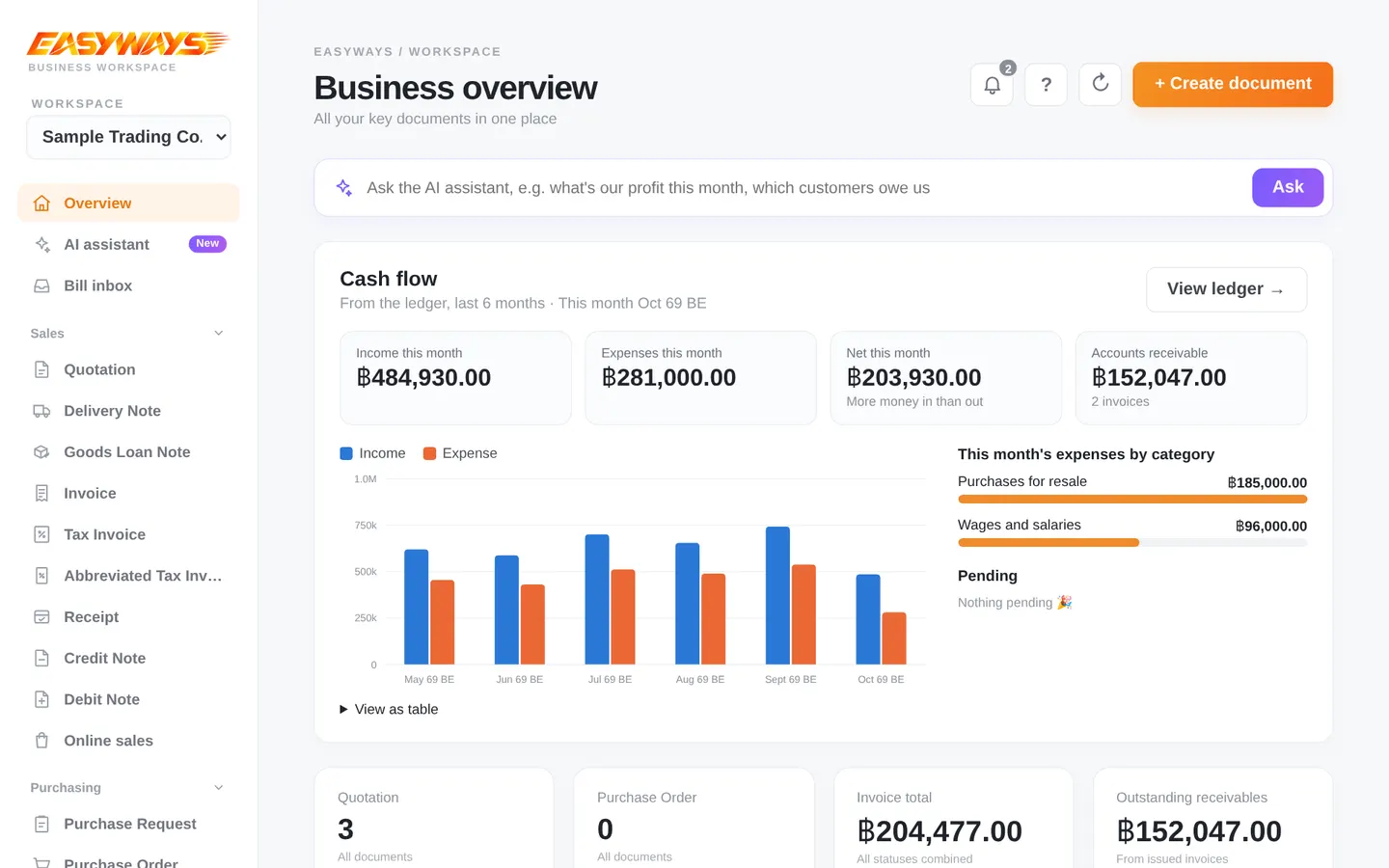
Pick your type of business at sign-up: the main menu, the numbers on the first page and the categories fit your work, and every other tool is still there when you need it. Tap to see the real screen for each (sample shops).

Close the day in LINE, know your profit every day

  • One message closes the daycash, transfer, Grab and LINE MAN booked as income
  • Ingredient cost as a %see every day how much cost eats your profit
  • Snap market receiptsAI reads them and files them as ingredients
  • Credit bookregulars who pay later, recorded in the chat
Type in LINEปิดยอด เงินสด 6,200 โอน 3,100 แกร็บ 800ป้าแดง ติด 120
Start free · Restaurants
Real screen, sample shop: Restaurants — Close the day in LINE, know your profit every day
Real screen, sample shopView full size ↗

From one bill to your accountant

Every step runs on its own once a photo is sent. All you do is check the card is right.

Send the bill in LINE

Snap a bill, tax invoice or slip, or send a PDF, in a private chat or your team group.

AI reads it

Vendor name, tax ID, amount before VAT and VAT, plus a suggested account category.

Check it in the chat

A card shows the amount and category. Edit or add details on your phone, with alerts for duplicate bills.

Into the books and Drive

Recorded in your income and expense ledger, with bill images filed by year and month in your own Google Drive.

Off to your accountant

One Google Sheet where every row links to its bill, plus PND withholding tax files.

Solo or with your whole team, in the LINE you already use

Type a request like you would to a staff member. The bot replies with cards you can act on straight away.

Business owners

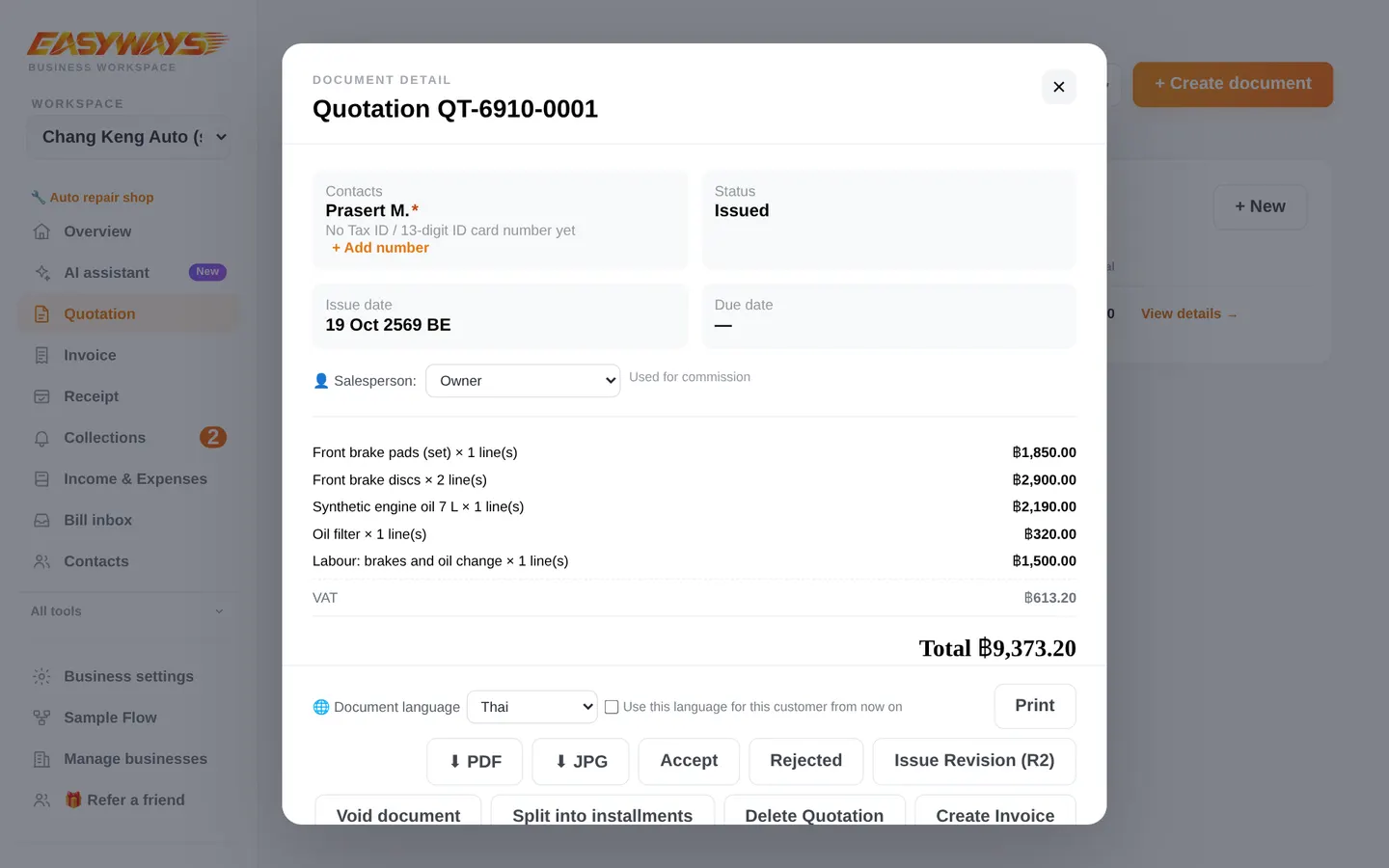
Type the items and get a quotation ready to send. Open it on your phone to edit or add product photos.

EASYWAYSPrivate chat
Quotation: 100 tote bags x 45 THB for Siam Craft Co.
Quotation · Draft
Customer
Siam Craft Co., Ltd.
Items
100 tote bags
Total incl. VAT
4,815.00
Review/editIssue number
Send product photos next, or tap Review/edit to add a photo to each item.

Your team in a LINE group

Staff send bills in the group without needing a web account. Entries are tracked by sender, and anyone with permission can issue document numbers right in the group.

Good Repair TeamGroup

Fon (staff)

350.00
Expense recorded −350.00
Account
Fuel
Paid to
Bang Na gas station
Staff
Fon
Invoice · Draft by Fon
Customer
Rungruang Motor Ltd. Part.
Total incl. VAT
12,840.00
✅ Issue document number

A (owner) issued the number

Issued INV-6910-0012

Much more than reading bills

Sales, spending and tax in one system, instead of juggling several programs.

Sell and get paid

  • Quotation to receiptSales orders, delivery notes, loan notes, invoices, tax invoices, credit/debit notes, each created from the last in one click
  • PromptPay QR on invoicesPre-filled with the exact amount due
  • Recurring invoices and expensesRent and monthly fees billed every cycle; bills like electricity remind you to record them
  • Debt follow-upPolite reminder messages drafted for you, sent by e-mail, or automatic reminders before and after the due date

Expenses and team

  • Light stockwhat is left, average cost, profit per product, moved by your documents
  • AI reads Thai billsTax invoices, receipts, slips and PDFs, with duplicate-bill alerts
  • Expense claims and approvalsPayment vouchers with signatures and job titles
  • Staff sales and commissionsFlat rate, tiered, or per product
  • Several companies, one accountSet roles to control who sees what

Tax and reports

  • 50 Tawi (withholding tax certificate)PND.3/53 summaries and files for online filing
  • Print-ready reportsPurchase and sales VAT, aged receivables, income and expenses by category, in PDF and Excel
  • Morning summary by e-mail7:30 a.m. every day, so you know what needs doing today
  • Phone remindersPayment due dates, deliveries, loan returns and tax filing deadlines, on Android and iPhone Calendar

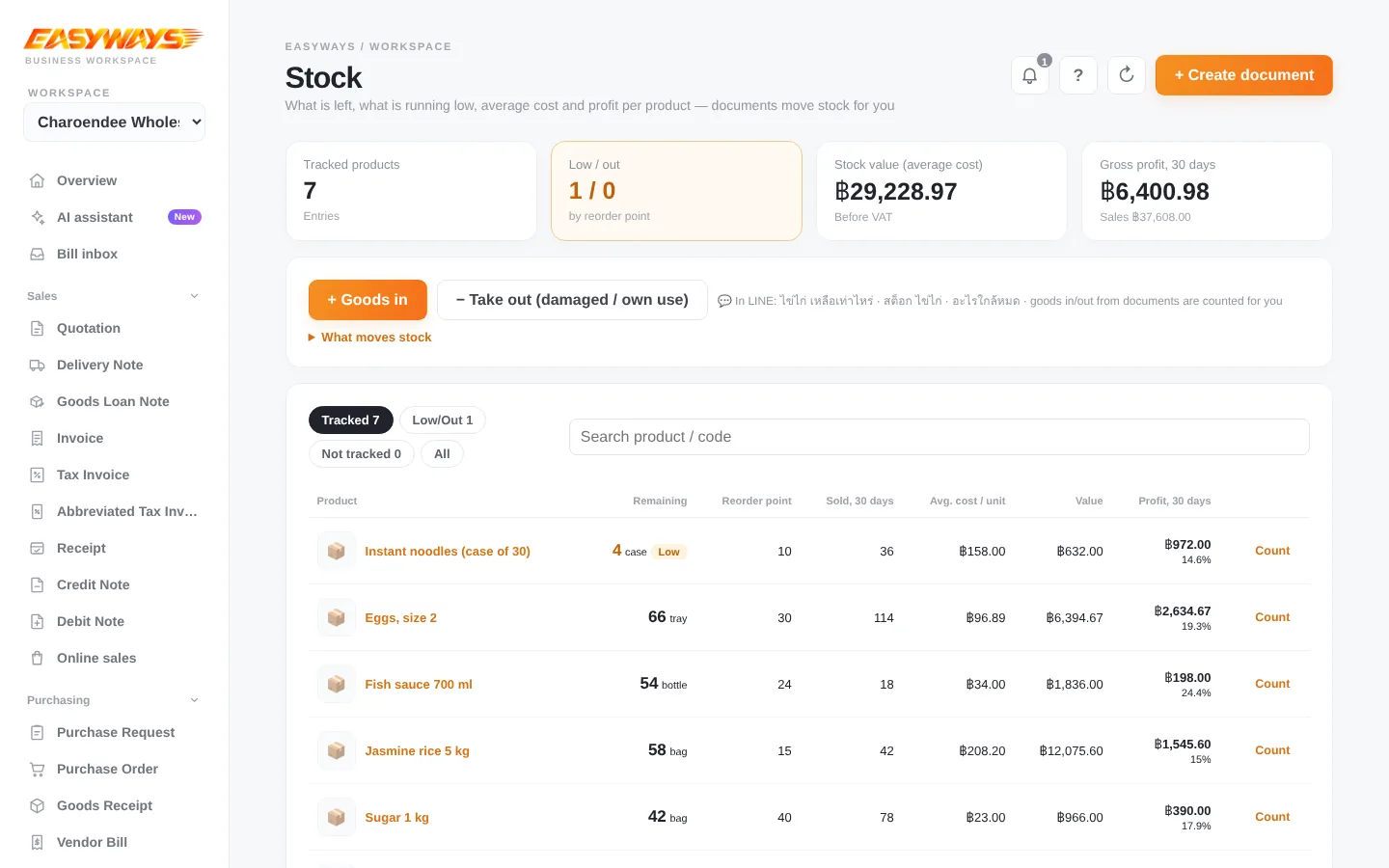
New · Stock

Know what is left and what earns most, without keeping a stock book

For trading businesses, wholesalers and anyone with goods to count. Issue your documents as usual and stock moves by itself.

  • Documents move stockSales: delivery note or invoice · Purchases: goods receipt or vendor bill · Converting one document into the next never counts twice
  • Average cost, stock value, profit per productSee which products earn and which sit on the shelf
  • Low stock, warned earlySet a reorder point; the bell and the morning summary remind you
  • Count, adjust, attach photosProduct photos and evidence when goods come in or go out
Ask in LINE (Thai)ไข่ไก่ เหลือเท่าไหร่อะไรใกล้หมด

Light stock: no multiple warehouses, lots/serial numbers or POS · Included in paid packages; free accounts can try it for 30 days

Real screen, sample shop: stock left, reorder points, average cost and 30-day profit per product
Real screen, sample shop dataView full size ↗

Every part of the document,
done right for the Revenue Department

Pick a document type and tap a number to see what each part does for you (sample data of a made-up company).

Design: 20 designs to choose from, recoloured to your brand
    How to issue it

    Also: sales orders, goods loans, receipts, abbreviated tax invoices, debit notes, purchase requests, goods receipts, payment vouchers and withholding tax certificates (50 Tawi) · send as PDF or image from the web or LINE

    Documents in 4 languages
    your customers can actually read

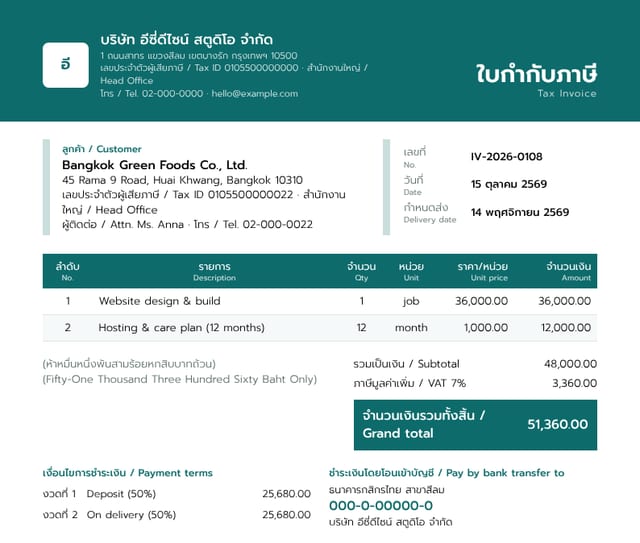
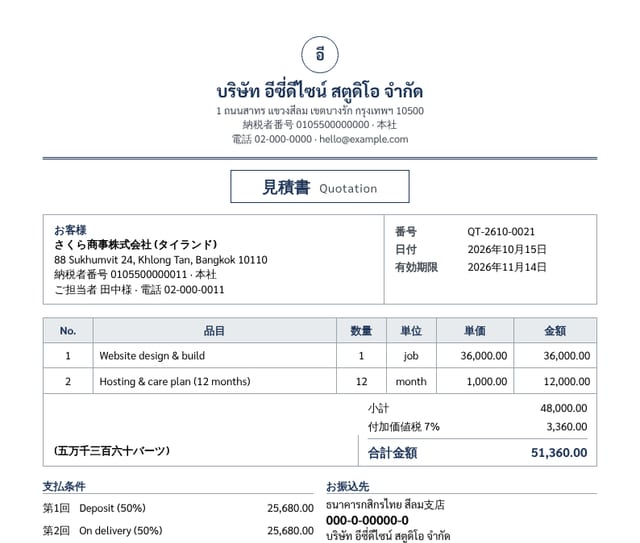
    Issue quotations, invoices and delivery notes in English, Chinese or Japanese, or in Thai paired with another language on the same page. No more retyping documents in Word.

    ไทยEnglish中文日本語Thai + EN · 中文 · 日本語
    • Set a default language per customer, and their next documents follow it automatically
    • Switch the language of any document, on the web or in LINE, even after it is numbered. The number and amounts stay the same
    • Amounts in words follow the language, e.g. Fifty-One Thousand Three Hundred Sixty Baht Only
    • Tax invoices and receipts always include Thai, as the Revenue Department requires, issued as Thai paired with your chosen language
    • The web app itself runs in 4 languages, so foreign staff and partners can each pick their own
    Sample tax invoice in Thai and English Sample quotation in Japanese
    Tax invoice in Thai + English · Quotation in Japanese (sample data)

    Connected to Google Sheets
    Send your accountant one link

    A single income and expense ledger in your own Google Drive, updated automatically every night.

    • A monthly summary tab plus one tab per month, going back 24 months
    • Every row has a "View bill" link that opens the original image or document in Drive
    • Account codes, vendor tax IDs, amounts before VAT, VAT and withholding tax
    • Share it with your accountant from EASYWAYS: enter their e-mail and Google sends the link right away
    Income & expense ledger (EASYWAYS)Updated nightly
    DateVendorCategoryTotalVATBill
    01/10SoftD Co., Ltd.Software3,999.00261.62View bill
    02/10Thailand PostShipping120.00–View bill
    07/10Pon's Repair ShopRepairs1,600.00104.67View bill
    09/10OfficeMate Co., Ltd.Office supplies220.0014.39View bill
    09/10Khun SomjaiCleaning1,000.00–View bill
    SummaryOct 2026Sep 2026Aug 2026Jul 2026

    Get started in 4 steps

    It takes a few minutes, and there is nothing to install.

    1. Sign up at app.easyways.ccEnter your name, phone number and company name, and your first business is ready to use
    2. Connect LINE to your businessIn Settings, add the EASYWAYS bot as a friend and type the 6-digit code shown
    3. Connect Google Drive (optional)Bills and documents go to your Drive every night, along with a Google Sheet for your accountant
    4. Send your first billSnap a bill and send it in the chat, or invite EASYWAYS into your team group
    EASYWAYS sales team LINE QR code

    Questions before you start? Scan to chat with our sales team

    Chat with sales on LINE or call +66 82 392 4198

    Your data stays yours

    We designed EASYWAYS so your business controls its own data and always keeps its own copy.

    Each company kept separate

    The database keeps every company's data apart. Users only see the companies they belong to.

    Role-based permissions

    You decide who can view, who can issue documents and who approves. Staff only see their own work.

    A copy in your own Drive

    Bills, PDF documents and monthly summaries go to your Google Drive every night, or download a ZIP at any time.

    Drive access limited to our files

    EASYWAYS only asks to manage files it creates itself. It cannot see anything else in your Drive.

    Files kept for 5 years

    Bill images and documents are kept for as long as you use the service, for look-backs and tax audits.

    Encrypted connections

    Every page uses HTTPS. Private links, such as calendar links, can be revoked and reissued by you.

    Pricing

    Prices include 7% VAT. Every plan includes LINE and unlimited documents. Pay several months ahead for an extra discount.

    Extra bill packs

    Used up your monthly quota? Buy a pack. Extra bills never expire and carry over to the next month.

    1 bill = 1 file read by AI. Issuing documents, recording income and expenses, and entering bills by hand don't count toward the quota. Staff who only send bills through LINE don't count as users.

    Frequently asked questions

    Do I need to install an app?

    No. Use it on the web at app.easyways.cc and in LINE. On a phone, open it in your browser or tap a link in a LINE card.

    Does the LINE bot speak English?

    Not yet. The LINE bot replies in Thai today, and English replies are on the way. You can do everything in the English web app, and your staff can keep sending bills through LINE as usual.

    Can the AI misread a bill?

    Sometimes, especially with handwritten bills or blurry photos. That's why you always review and correct it before it's saved, and the system warns you about likely duplicates.

    What happens if I run out of bills mid-month?

    Nothing is lost. Bills you send are kept in a queue, and they are read automatically once you buy a bill pack or a new month starts. You can also enter bills by hand, which doesn't count toward the quota.

    How does my accountant see the data?

    Share the Google Sheet with bill images by e-mail from EASYWAYS, or add them as a member with a view-only role.

    Can several companies use one account?

    Yes. The number of companies and users depends on your plan. One person in several companies counts as 1 user, and the bill quota is shared across the account.

    What happens to my data if I stop using EASYWAYS?

    Download it as a ZIP at any time. If you connected Google Drive, copies of your bills, documents and the Google Sheet are already in your Drive.

    Can I issue tax invoices in English only?

    Tax documents (tax invoices, receipts, credit/debit notes) must include Thai under Revenue Department rules, so EASYWAYS issues them in Thai paired with English, Chinese or Japanese on the same page. Quotations, invoices and delivery notes can be fully in a foreign language.

    Can I pay yearly or for several months?

    Yes. Pay for 3, 6 or 12 months at a discount. Use the buttons above the pricing table to see the prices.

    Start free today

    Sign up with your e-mail, get 30 bills read free, and connect LINE in a few minutes. Questions? Call +66 82 392 4198